 Nodwise
Your agent asks.
Answer from anywhere.
Approve Claude Code and Codex requests, or give them the next instruction, from your iPhone and Apple Watch.
One tap, and it keeps going.
Long tasks stall on a single question. Nodwise brings the question to you, with the command or file it is about.
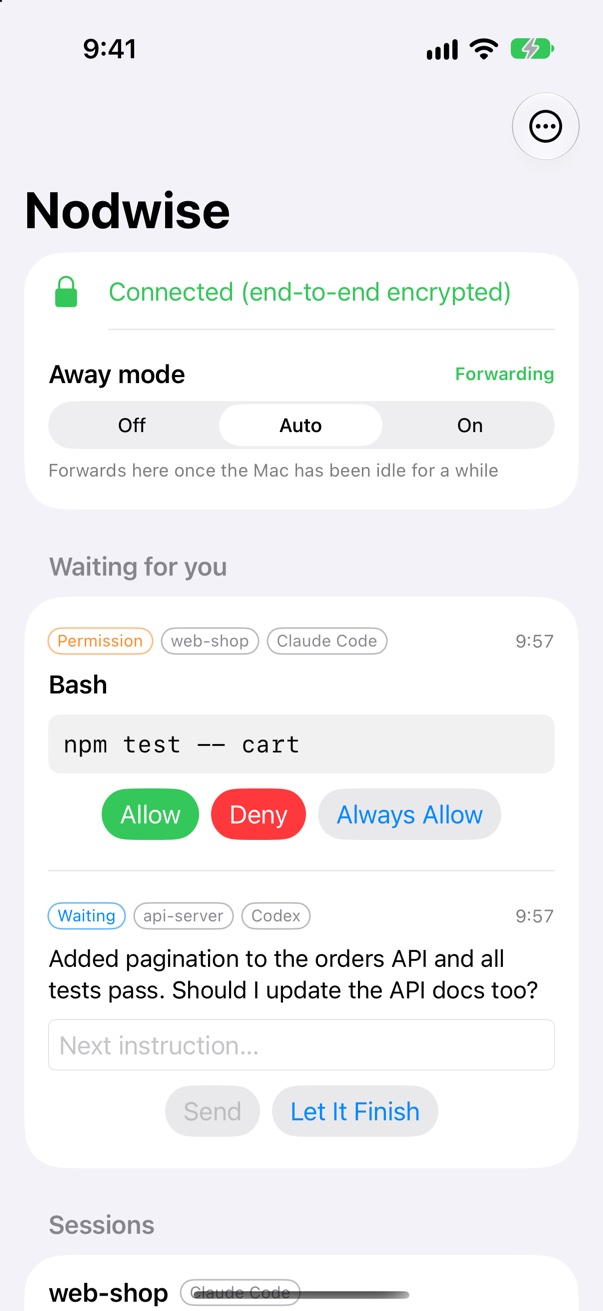
Allow, deny, or always allow
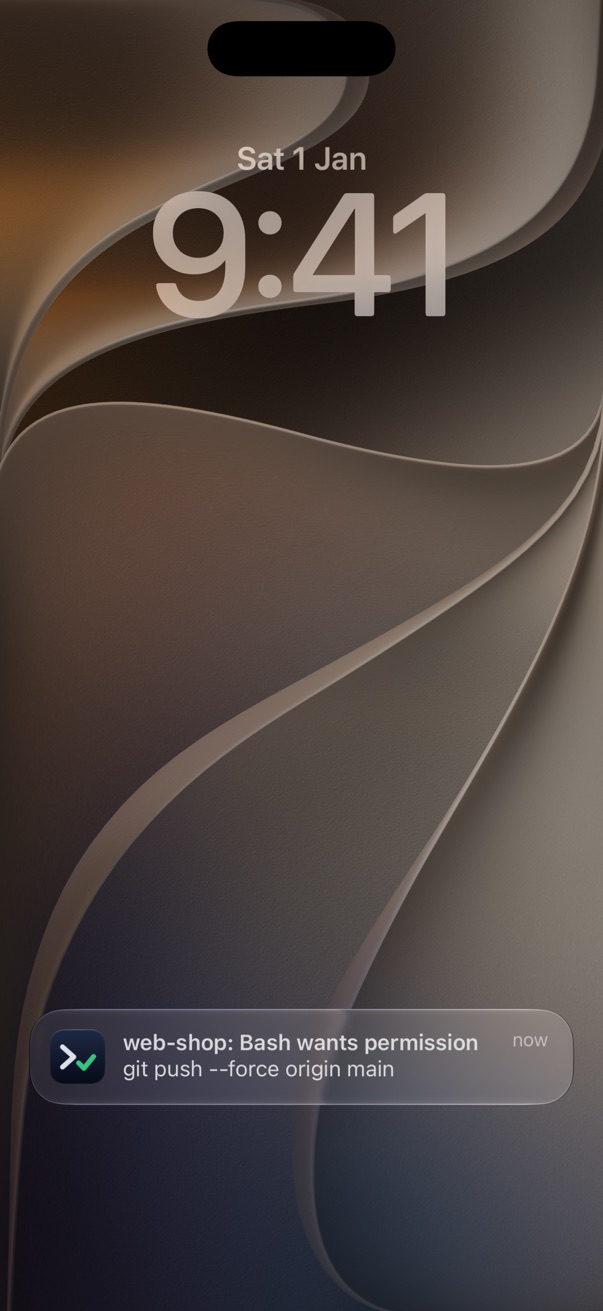
Right from the lock screen. Risky commands like a force push are flagged in red.
Reply with the next step
When a turn ends, type or dictate what to do next, or let it finish.
On your wrist
The same requests reach Apple Watch, with the same buttons.
Set up in a few minutes.
Install the Mac app
It lives in the menu bar and installs the hooks for Claude Code and Codex.
Scan the code
Open the iPhone app and scan the QR code the Mac shows. No account needed.
Walk away
When the Mac goes idle, requests follow you. Back at your desk, they stay on the Mac.
The relay can't read it.
Your Mac and phone share a key through the QR code, and everything between them is end-to-end encrypted. Our relay only passes ciphertext along. Notifications are decrypted on the phone.
Read the privacy policyQuestions
Which agents does it work with?
Claude Code and Codex, through the hooks each of them provides. Nodwise installs its hooks next to yours and leaves your own untouched.
What happens when Nodwise isn't running?
Nothing changes. The hooks step aside and your agent asks you on the Mac, as it always has.
Does it forward everything, all the time?
Only when you want it to. In Auto mode requests reach your phone after the Mac has been idle for a few minutes; you can also switch forwarding on or off.
Do I need an account?
No. The Mac shows a QR code, the iPhone scans it, and that's the pairing. There's no sign-in.
What do I need?
A Mac with macOS 14 or later, an iPhone with iOS 17 or later, and optionally an Apple Watch with watchOS 10 or later.